About this talk
In this talk, Jonas from EclipseSource presents live demonstrations showcasing the integration of AI within the Theia IDE platform. He discusses the inherent unpredictability of AI while emphasizing practical applications, such as generating slides and creating a calculator app using AI-driven prompts. The speaker explains the capabilities of Theia, including its subcomponent Theia AI, which facilitates the building of domain-specific tools and coding environments. He highlights the importance of collaboration with various AI models and demonstrates the implementation of custom agents, showcasing the flexibility of the open-source platform. The session illustrates the ease of integrating AI across various domains, emphasizing user-driven customization and the potential for innovation in software development.
Full transcript
All right. Welcome to my talk. I'm Jonas from EclipseSource and welcome to OCX. It's my pleasure and honor to have the first slot. Before I dive into the talk, I have to do a couple of comments because this talk is really special. As you have or as you might have seen from the abstract, this talk is mainly about demonstrations. And I'm stupid and crazy enough to do
that with AI. So, what can go wrong with AI? First of all, AI is indeterministic. Um that means I've of course practiced this beforehand, but it might behave differently now. So, something might just fail because AI decides to do something differently compared to what I expect. If that happens, please blame it on AI. It's not my fault. Um on a more serious note, the other thing that
might go wrong is I'm relying on a cloud-hosted LLM and in this talk because my laptop is too small to host something reasonably enough that I could do the demos that I wanted to do. Um so, if internet goes down or if the cloud provider goes down, and for the last months this sometime sometimes happened actually, I actually have a problem. For this case, I've recorded a
video yesterday of the exact same thing. I have to switch to the video then. I hope this doesn't happen. If it happens, I'm I'm sorry in advance. All right. Now, about this talk. Um I really want to focus on demo. I will not do long explanations. I will have a lot of uh demos. And if something with AI you will usually prompt and then wait a bit.
To make the waiting time a little less boring, um what I will do is for most of the demos I will prompt first before I explain something. I will just throw the prompt at the AI, then it generates, and then I will explain a little bit what I do after the fact. However, this talk is not about a lot of uh technical explanations. Um it's kind of
a teaser so to say for for the next 3 days. So, if you want to learn more about the underlying technologies, there will be other talks. This is really a fun demo um to to to let you know or to show you what's possible with the technology. Um and one more comment before I finally get started. Um I will of course still use small examples. The underlying
technologies that I show are capable of doing much more, but if I would do a big example, I would start one prompt and then we wait together for 30 minutes, which is pretty boring. Without further ado, um let's start with my talk. In the abstract, I promised that I will not show any slides and I want to keep that promise. I will only do demos. However, I
want to present some information. And I think I found a way that is strictly still sticking to the rules, no slides, but I can still show you something. Let's get started with the demo. What we see here on screen or what you see here on screen is the Theia IDE that integrates Theia AI. Both are Eclipse projects um and they allow you to um create AI tools
and IDEs. And my first prompt is actually Hey, generate the first slide um and derive the color scheme. And for this, I quickly go to the OCX website because I want my slide to look like an OCX slide. So, I take a screenshot of the logo. Here, I go back. And let me just paste this here and then hit enter. Um now, what I did is I
uh prompted the standard um agent in the Theia IDE called Theia Coder to generate the first slide of my presentation. I've not seen the result before. It will be completely new to me. And hopefully in a second, my first slide will appear in the middle, which is an embedded browser that basically shows the result. And here we go. That's my first slide. I've not seen this before.
Does it look good? Yes, talk yeah. Okay. So, now finally, welcome to my slide uh to my talk AI in Action, the ultimate live demo with Theia AI. I'm Jonas Helming. I work for EclipseSource. We are a company focused on building tools and IDEs for our customers. We do that for a living. And in the last 2 years, most of these tools uh contain some sort of
AI integration uh in all sorts of domain, in coding, in uh electrical engineering, in embedded engineering. All these tools want to integrate AI and that's what we do for a All right. Now, what did I just show you? Um You might wonder how was the AI uh able to generate the slide and how does it know the title of my talk? Now, what I prepared beforehand and
actually also generated this with AI is a small project in a technology called Slidev. Uh Slidev is just a framework where you can generate slides in markdown and then render them in the browser. Um and the main content is here in the in the file called slides.md. And my agent was actually capable of reading that and it basically just added the content there. The reason why it
knew the title of my talk is that I created um what we call a project context file. You might know this from all coding agents, for example, cloud.md or agent.md, uh which contains some information about what I want to do in this project. So, uh as you can see here, it says this is a Slidev project and this is the title of the talk. And it also
contains some logo info. While the styling of the um of the slide was actually derived from the picture that I pasted in the chat. So, we can see here it first derived the the um corporate identity of the OCX and then generated the slides based on this. All right. Um I want to show two more slides in this talk. One is a technical explanation on what I
do and the outro slide. Um and I want to generate them now, but to not bore you with more prompts, I've actually prepared the description of the other two slides that I want to show you. And I did that in a markdown file. That's what we see here now on screen. Um that's what we call a task context. So, it's I basically I've written down uh what
should be on slide two and what should be on slide three. The reason to do this in the file is more convenient to just paste everything in the chat. And what I can do in the um in the Theia IDE, I can now initiate a session with this file. Um and what that will affect is that if if I close this again, here in the chat you
actually see here is an entry now. And if I click this here, this is basically a pointer to this file. So, now I have my prompt in a file. And now I could just hit enter here and then go back to the slides that I show. And now the agent, as we can see, it created a small to-do list over here um and it will now create
hopefully slide two and three. And by the way, if you wonder why the slides blinked a little bit, that's why the agent uh that's because the agent rebuilds the slide after it is done with the generation. All right. Now, it's adding slide two. Um we can follow that here in the to-do list. Um then it adds slide three and then it validates the build. So, I'm waiting
for slide two and then it I will hit over or I will um switch over to uh another IDE to show you show you some coding examples. All right. Um should be done. Let me go to slide number two. Okay. That's my second slide. Also, I've not seen this before, but it looks pretty much like I want it. So, in this demo I will show you mainly
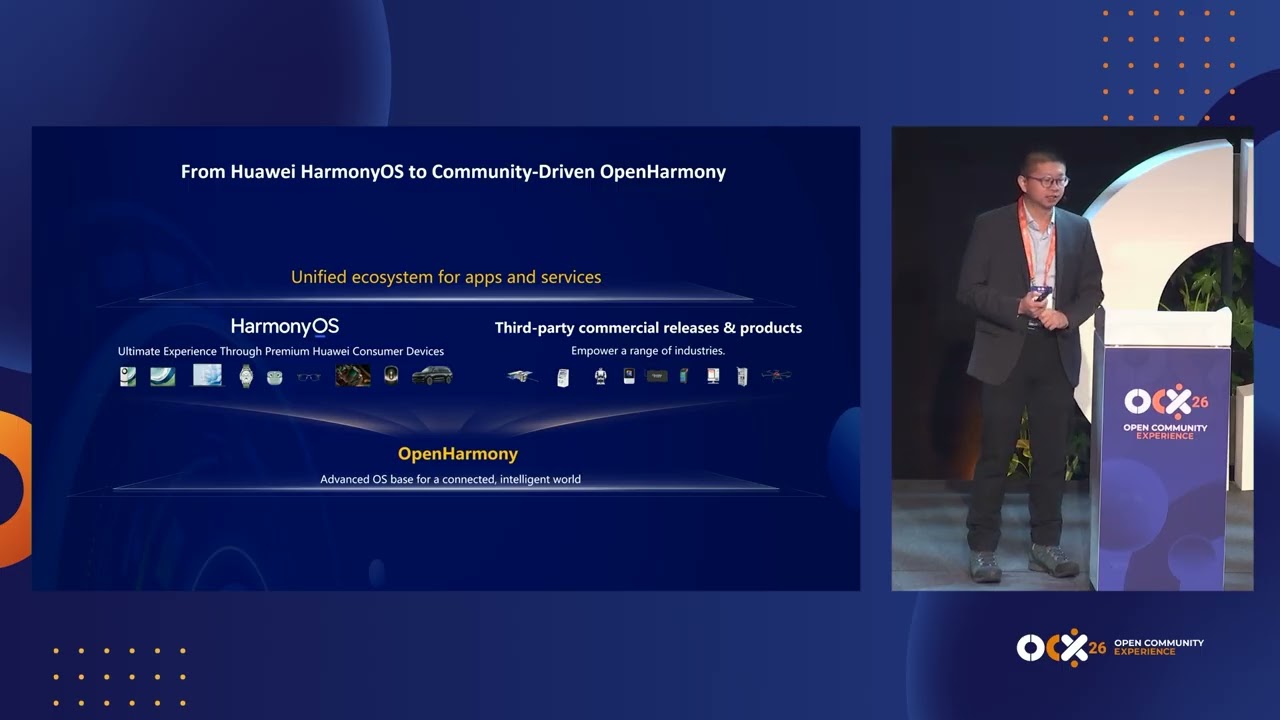
three technologies. Number one is the Theia platform. As Mike just mentioned in the opening session, the Theia platform um is a technology to that allows you to build tools and IDEs. So, if you want to build domain-specific tools or custom coding environments, you can reuse a lot of building blocks from this technology. In a sense, it's like the traditional Eclipse uh tooling platform that that exists for
many years and this technology exists since 2017. Although compared to traditional Eclipse, it's based on web technology, it shares a lot of uh building blocks with VS Code like um it's it's written in TypeScript, uh integrates the language server protocol and so on. Now, the second piece is since um almost 2 years, the Theia platform has a new subcomponent called Theia AI. Now, this is a framework
that allows you to build AI tools and IDEs. Now, why do you need a framework for that? If you've done that yourself, before you can actually focus on your domain-specific stuff, you have to solve quite a lot of uh recurring requirements like communicating with LLMs, how to run agents, how to run tools, how to visualize, for example, a chat in the UI, um how to connect the
MCP, how to integrate skills, and and all these um standard uh requirements are actually implemented in Theia AI. So, if you use that uh to build a tool, you can basically start with your domain-specific stuff and don't have to worry about the infrastructure anymore. And finally, um the first two things are frameworks. Now, building frameworks only is is a little bit boring and it's hard to demonstrate.
I don't want to show you APIs. I want to show you that something that runs. And for this reason, the Theia project also uh produces a tool called the Theia IDE. Now, the Theia IDE is a standard coding tool. It's It's You can download and use it. Uh it's used by many. In a sense, it's an open version of VS Code. It's also compatible with VS Code.
So, for example, you can install VS Code extensions. Um and this is the thing that I will mainly show you today. Um the reason for that, it's an it's openly available. It's very flexible in the configuration. So, you can I can show you a lot of stuff. However, keep in mind, and that's very important, and now hopefully the animation was generated correctly. This is the part of
the uh talk where I'm not most nervous about. Ah. Keep in mind um that you can, and that's the the standard purpose, um also build your own tool based on the same technology that I show you today. So, everything that I demo you today in the Theia IDE, you can do similarly in your own tools with your own data, with your own domain, your own use cases.
All right, enough of slides. Let's go to a fresh workspace and start with some coding demos. Now the first thing that I would like to do is create a very simple example application. So my prompt is create a calculator app as a node-based web application and start it. Use port 3035. The reason I specify this here is I have a lot of applications already running on this
machine and I don't want the agent to fiddle around with conflicting ports. That's the only reason. Otherwise, I would not do this. Now what we can observe So I use again Theia Coder. That's kind of the standard agent in the Theia IDE. It creates a to-do list. And then basically works on the implementation. And what we can also observe here because we are very transparent in communicating
what we do are the tool calls that this agent does. So for example, first it looked at the workspace to see are there already any files? And then we can see here these are basically tool calls to create files. And we can also see down here these are the files that the agent is creating. It's now installing dependency and hopefully in a second it will launch the
application so that we can have a look. It's actually already done. It was faster than I expected. Before we look at the application, I would like to answer a question that that might be in your head. What model am I using? Now the good news is in Theia AI we are terms of what models we can connect to. So it's not restricted. For this I open the
configuration view of the Theia IDE and go to the agent that I currently use. As we can see we have a lot of agents here in this Theia IDE. Or if I go to the coder agent and then scroll down a little bit. And we see here I'm currently using Claude Opus 4.6. I didn't want to switch to 4.7 three days before my But I could configure
that differently. So then if I open here the list, um we support various different providers. So for example, you can connect to all Anthropic models obviously, to the Google models, to the OpenAI models, but we also support for example Ollama or Llama file. So you can connect to models that you host yourself either locally or on your own cloud infrastructure including open source models like Kimiko, DeepSeek,
or whatever. So we really don't limit you in what we do. Um many people use Anthropic of course for coding, but if you build a custom use case for something domain-specific, you might consider to use an open source model because it's significantly cheaper. So if you roll that out to a lot of users, that actually plays a role in practice. All right. Now let's look at what
the um agent has generated. Yeah, looks okay. So again, I have not seen this before. So let's quickly test this. Uh 7 by 7 should be Yeah, okay. That works. So this was just generated on the fly. now what I want to show you next is now generated an initial application. what what else can you do? Because if you want to build domain-specific tools, typically interesting, okay,
how can you other systems? How can the agent interact with the surrounding world? And the thing that I want to show you next how I can make this agent that I've just used test the application, this calculator app, find a bug, and then report it on GitHub. Now to do that, I need a bug first. So let's introduce the bug first. Now this is a tricky part
of my demonstration because I don't know the code. So let's look at the code. There's an index.html down here. It's the code server. Okay, yeah. Yeah, this this looks good. Okay, this is where the calculation happens. So let's see. In case we have a multiplication, the calculation is num A multiplied with num B. And I introduce a nasty bug here. I just write a plus here. Okay,
now now we have a bug. I hope that was understandable. I'm lucky that I found this. All right. Now what I'm doing next is I open a new session and now I want to use this agent to test the app. And the prompt that I would use for this it's a little bit longer. It says test the application in this workspace with a simple E2E test. Of
course, it could also generate unit tests, but I really want it to control Only test multiplication with a maximum of one test case. The reason for that is otherwise it tests like everything. I want to keep it short. Do not look at the code. The reason is otherwise it would immediately fix the bug, like no questions asked. Do not fix the issue. Do not write any code,
but report the issue on GitHub only. The app is running on port 3035. All right. Now before I hit enter, to make this actually work, I have to allow this agent to do two things. Number one, it must be able to control my browser. And number two, it must be able to connect to GitHub. Now if you know other AI systems, what you typically use for this
kind of these kind of connections something like MCP. And we could do that. So we support of course MCP and I could turn the GitHub MCP server on and the Chrome dev tools for example. That would enable this. We have a little bit nicer way I think. You see these buttons here and I can just click them to turn on GitHub and E2E test. And now let
me hit enter before I explain further. Now what these buttons basically do and we call them capability, they abstract certain things that an agent can do into something that the provider of this tool decides the user typically wants to turn on and off. By the way, you can watch in the background now. It opened the browser and it will now test the application. and you can also
use this if you build your own tools, you can basically encapsulate certain things into these buttons. And what really happens here and we can observe this in the chat. We don't just use MCP, but we allow the main agent, the coding agent to delegate to two additional agent. The first agents The first agent is called app tester. The app tester knows how to test browser-based application. And
it has the MCP server to do that. And as we can see it's already done. Oh, I think I didn't rebuild. Yeah, yeah. I'm sorry for that. Let me stop that and just do that again. Sorry, what? Yeah, it's of course the it's core of course the AI. To keep it quick, I would just stop this here. Sorry. Rebuild. Build and start the app. Hopefully I can
use AI to quickly fix that. Did that work? Yeah. So it's rebuilding. Um sorry for that interruption. Now with the So it's running again and let me quickly start my prompt again. That is this one. And turn GitHub and E2E test on. So now now you know everything is live. and the second agent, that's the GitHub agent, is again a sub agent that has access to GitHub
and can then report the issue. The reason why we do it that way for these two particular cases and there's it's a very ongoing discussion when you enable a main agent to do something or when you delegate to a sub agent. Um testing an app and reporting to GitHub are really self-contained things. So what the main agent will do, it will just send very short instruction to
the sub agent, "Hey, test this app." And then the app tester can basically figure that out. All right. Now hopefully that works now. Otherwise, I will move on. So the result of this should be a reported Ah yeah, okay. Now fine. That works. That looks good. And we can see the app tester is completed and now it delegates to the agent, which is the GitHub agent that
now reports the bug. And in a second hopefully we'll see that on GitHub. I will already switch over here to my browser. That's the wrong one. This one. And here we have the GitHub repository. Let's see. Yeah, that looks good. And here we can see that was opened just And it describes perfectly and I bet no human would ever describe this so perfectly. So it has very
good steps to reproduce. Um to close on this part of the demo, what I could now obviously also do is fix this bug again. And for that, we could use another concept that is called slash command or also skill. We have here one that is called fix GitHub ticket. And if I would now just remember this number if I would now hit enter, it would immediately fix
the bug again. Instead of continuing with this, I now want to show you a little bit how you can adapt the system to basically make it yours. And we go from simple adaptations to creating new agents to finally I show you a demo how does this look if you really code the agents and create your own tool functions to let your agent interact for example with a
diagram. All right. Now the first thing that I want to do is if we look at our app um it looks nice, but it doesn't look anything like Eclipse, right? And I'm pretty sure we have a lot of uh traditional Eclipse guys in this room. So, what I want to do is I want to make this uh a standard Eclipse application. And for that, what I've done
is I prepared a skill. Now, skills are basically files that contain some knowledge that you can on the fly add to um to change their behavior. And what I prepared, I generated this, is a skill um that teaches the agent how Eclipse applications look like. So, it contains uh the color palettes and basically knows how a standard Eclipse application looks like. So, let me use this now,
and the prompt that I use is um "Hey, restyle my my application the Eclipse way." And now what I do is I add this skill um by using slash and then selecting the So, with this I influence my agent now. The first thing that it does is we see another tool call, it loads the skill, and now it basically has the knowledge on how to how to
do that. This will take a while. while it is running, I want to show you the next way how you can um adapt this to your own needs. Now, in many cases you might already have some existing agent um that does something in your domain. Or it might be that you don't want to use the standard coding agent that is embedded here, but for example something like
Cloud Code or Codex or anything existing. Now, the good news is because this uh we are based on a framework um you can replace everything here, and you can add anything that is external. And just to demonstrate you that, um let me open a new chat session. Um and what I do now here is I say, "Hey, Cloud Code." And the prompt that I use is "Ask
me a question using your yes or no tool." I will explain why I do this uh prompt in a second. Now, this talks to Cloud Code. Um Cloud Code is running on my machine, and we have integrated Cloud Code as an external agent. And because everything is so modular, this is really very easy Um and it doesn't only show text. Now, as we can see here um
we we also allow to very easily plug in your eye element. So, this is a renderer that is embedded in the chat that shows the question that comes from Cloud Code now, nicely embedded into this application. So, this flexibility is basically possible, and you can literally do anything in terms of your eye. Um you're of course also not restricted to the chat only. You can also embed
AI into any other uh UI elements. So, for example, down here in the terminal Oh, sorry, that was not what I wanted. Um like this. Uh we can also, for example, overlay the chat here or in an editor, or basically anywhere uh where you want to see your eye. Now, let me quickly here. It seems to be done. So, let me go Quickly reload this. Yeah. So,
to whom does does this look familiar? Some of you. So, and does it work? Let's see. It does. And please watch the console down there. It prints out the result. So, for for the younger ones, uh this is how Eclipse started, right? This was the the the the style of one of the first Eclipse versions. All right. Let me get back to the demo. um I've just
shown you how you can integrate existing agents. Um the next thing that you can do is you can um influence the existing agents. Now, the good news is all the agents that are delivered by the project are fully opened. Um they're open source. You can modify them. You can take their prompts, add something, remove something, and make them yours. In the Theia IDE, we even allow that
uh to the end user. This is of course not something you might do in your own tool, but um here we can do that. And to quickly show you that um I go to this configuration view I select the coder agent over here, and now [clears throat] I click this small button here which now opens the prompt of this agent. Now, you might have seen a lot
of leaks from other tools when the system prompt is revealed or something. And in Theia, basically everything is open. So, this is the full system prompt of the main agent in the Theia IDE. No secrets. And I cannot only read it, I can also change it. And let me do a very small So, what I do here is I just add another line that says "Only speak
Spanish to the user." for whatever reason. It's a simple example. All right, let me start a new session, and now let me say "Hi." And now we can see the the system prompt is edited. And suddenly my agent speaks Spanish. Right? Just with with one sentence. Of course, you can do more stuff, right? You can really make it yours. Um and if that's not enough, and you
really want to start from scratch it's also very very easy to create a new agent. And again, in the Theia IDE, I can do this Um for that, I will open again the AI and I will click on add custom agent. Now, what this will basically do, quickly Oh, sorry. Um I didn't remove the one from from the run that I was doing yesterday. So, let me
do that again. All right. So, this adds a new agent. It's currently called my agent. Um and I will just give it a name. I will do a poet. Uh and a display name just like this. Now, that you can use this to do literally anything that you wanted. Um I will remove now the standard prompt. Just like this. Uh that was maybe a little bit too
much. Like this. And now I will add a very simple prompt. and what I want to do is uh this one. Let me do it. So, "You are a poet. Write poems into markdown files in the root of the workspace." Now, the interesting thing is this string here. This adds a tool to this agent and allows this agent to write files into my workspace. test that, I
can just use open a new session, and now say, "Hey, poet." "About the Eclipse IDE." because that's our scheme. I'm in the mood of Eclipse IDE because I saw the um the restyled application. And let's see. And now we can see it uses the tool that I provided access. It can currently do nothing else. Only this tool. And hopefully in a second, yeah, it's Um and let's
quickly look at that. Where is it? Here. Eclipse IDE. Let's make this a little bit bigger. In the shadow of the moon, a workspace where Java dreams are born and code still flows. Very nice. With that, um I would like to leave this um IDE. What I've shown you now is how you can quickly uh edit existing agents with adding something, with modifying the system prompt, or
even create new agents. Now, what I want to do is I want to show you finally two examples where we um uh where we modified agents not only dynamically, not only the system prompt, but we integrated them more deeply. The first example is still about coding um mainly because coding is just a use case that everybody knows. Um but it's not about writing code, but about reviewing
code. Now, as you might know, um in the current times of AI coding, code review is really a hot topic. A lot of teams discuss what do we do with code reviews? And the main reason for that is because writing code becomes more efficient when using reviewing takes a proportional longer time of our daily activity. Uh it's conceived as a bottleneck. And some people say, "Okay, we
don't need to do code reviews anymore. AI can do that." Some say, "No, we we need to read every single line." Um what we try to do is something a little bit in the middle. We strongly believe in quality, and especially when we work for customers, we basically review every code every line of code um for quality reasons. However, we um we wanted to do something to
take the pain away from AI coding. And the idea is not to replace the human with AI, but basically augment the process because AI can be very helpful. And now how that looks like is um something like this. And by the way, as you can see, I'm now running the same technology in the browser. That also works. Now, what I did is I used a custom agent
called PR Reviewer that and said, "Review 39." That's the PR review number. Um I said it should not build and not do too much for this demo, but essentially it's enough if you say, "Review 39." Now, what this agent does, it looks at the PR information, it checks out the um it compares master with uh uh with the PR and so on. So, it basically does all
the setup that we would need to do manually. We can see here um the commands that it basically executed. And then it looks at the code itself. So, it does a a AI-based review. But instead of just posting this, it will now guide me through a walk-through. So, it's a little bit like a person reviewed the PR for me but now guides me through the code. So,
it will literally show me all the code and basically walk with that through the code with me together. And to enable that, it creates a plan. And the plan is what we see here in the middle. So, for example, it contains all the files that have been changed. Um and then the findings. And as we can see here in the middle, there's one finding, the calculator logic
has a multiplication bug because I pushed the the bug that I created before. Um, and it found that. And now it says, "Okay, we have a key finding, multiplication is broken." Um, and now I have several options. And now we what we can see here in the chat again, we now use the capabilities of customizing the chat to allow you to basically press button to use this
workflow. So, what I can do now is I can for example I can start the the walk-through. Um, and now the agent will open that file to me, it will explain its findings, and I can then decide what to do with So, here's the code. I will not go into um, the code. It will show me basically a diff. Let me quickly close this again. Sorry, I
have problems with the screen space here a little bit. Um, and now I can decide, do I confirm this finding? Do I see it differently? What are my thoughts? But it's it it really helps me with that. Um, what I will do to keep this short is I will say, "Skip." So, this finding is fine. Skip the remaining review and just post it on Now, what we
will be able to observe in the middle, if you watch this uh this part of the plan for a sec. We now see that the plan was updated. It confirmed the first finding. For the second finding, it said, "Skip." And now it has all the information from my review, and now it will post that on GitHub for me. This is something that works very reliably, right? Because
I basically added this information together with AI, and now I don't have to go to GitHub and use this not so user-friendly editor to add comments and write them down, but I just let AI do the job for me. So, let me go back to the GitHub of this project. And look let's look at the PR. So, now we have um a perfect comment that exactly describes
this bug. Um, this actually is currently even a suggested comment, so I wouldn't need to submit this review. So, this is currently not um triggering the other person. So, I can review the final result if I wanted to. However, based on initial experience, once you have confirmed the finding, describing that is typically perfect. So, there nothing really goes wrong. All right. This is example number one. And
the final example that I want to show you is something that has nothing to do with code. I mentioned initially you can use this technology in any domain as long as you have a tool. Um, and what we now have here is um a uh example application that shows us a a function block diagram uh from AUTOSAR. Um, now this is a diagram editor embedded into this
tool, and this is a diagram editor that I can manually use. So, I could use this now as a person to model a function block diagram. Now, of course, I want to use the AI for that. And for this, let me close this diagram and open an empty diagram. And let's say I'm a engineer, and now I want to model a system from scratch. Usually, what I
would need to do is basically add all these blocks, connect the things, spend a lot of time. Now, um I can use AI for this. Um, to not bore you with the prompt, what I've done as a preparation is I created another markdown that describes a navigation system for ships. So, basically, the domain um description. And now what I do again, uh like I did in the
very beginning of my talk, um I will initiate a chat um with this markdown file. So, you can see down here again, this chat has now this markdown file as context. And I'm using a um special agent, not the standard one, that is called AIDB ABD. And let me start this. Now, what this agent can do, it has it's it's uh developed, so it's not just dynamically
added, and it has access to this diagram. Now, we can see it starts to uh use its function um to modify the diagram. Let me actually zoom out here a little bit so we can see it better. So, we can see on the fly it now um models the system based on my textual description. So, it started to create all the nodes. Um, now it creates input
ports and output ports Um, and again, this is possible because we basically implemented functions or tool functions that allow this agent to um look at the diagram, to make modification, um and also the agent understands the underlying syntax. The good news is the syntax is pretty well known, so we don't have to explain too much to this agent in this example. Um, now it created input and
output ports. Finally, it will hopefully create connections. Yes, they're a little bit overlapping. It will hopefully that in a second. Yeah, now it triggered the auto layout. Um, and finally, it will take a screenshot of this diagram and see whether there's anything misplaced. Um, typically, it isn't. And now it is actually done. this is an an example, and you might um imagine to use something like this
in your own domain um to do any kind of modeling. Of course, this works with diagram, but also with um data that you display in forms, anything that you can translate basically to data uh is super suited for this. All right. Um, and of course, this doesn't stop at creating diagrams. I can now also uh ask questions. I could say, "Please remove something. Please do something differently."
Or what I want to show is "Show me the input path to risk which a risk register." Which which is an input port somewhere over here. So, let's see this. Now, what this shows is that the LLM has really an understanding on what it did there. Um, so hopefully, yeah. So, as we can see now here, it used this diagram function highlight the input part input path
to this input block. All right. Um, now with that, I'm actually done with the demo, and I want to um go back to the first instance that I used and show you the final slides. Once more, I have not seen this slide Uh, oh, we have a little problem over there, unfortunately. yeah, I want to come to an end. Um, what I want to mention is everything
that I've shown you in this demo is open source, except the LLM, but keep in mind this also works with open source LLMs. um especially the latest ones are really really good again. So, for example, Commit to K is a good candidate. Gemma 4 is a really good tool, and depending on your use case, um there are many many options, and you can use all of them
with this technology. If you want to learn more, um check out our website. Um, drop me an email if you have any questions, or and or talk to uh us at our booth. If you go out this door, um just go towards the bar straight, and then to the left is our booth where um I I'm I'm around almost all the time, or my colleagues that can
answer you any kind of questions. And um I would like to mention two more events, actually three more. The third one is not on on the screen. If you want to learn more about Eclipse Theia in particular, there will be another talk uh today at 4:00 given by Thomas and me. Um, that is a little bit less focused on the AI, but about the whole project. So,
if you want to learn more about this platform, definitely spend a visit there. Directly after this talk, there is another one um about practical experience with Theia. So, if you want if you find the technology interesting, you see more insight on how to use Theia um as an adopter and and interesting learnings. And finally, today in evening at 7:00, there will be a Birds of a Feather
session called Building Next Generation Tools at Eclipse with AI, web, and cloud. Um, where almost all um Theia people will be there, but also people that drive other related technologies. So, it's definitely an interesting open event where you can ask questions, meet the people, have conversations, and so And with that, I'm really happy that actually almost everything worked. I was really nervous. I hope you enjoyed the
show. Keep in mind, um I didn't provide too many details. Use the remaining 3 days to learn more if you're interested. This was really meant as an opener. Thank you very much for attending, and I'm happy to take questions. I think we have 3 more minutes. >> [applause] >> Hi. Thank you for the talk. I actually have questions on the data governance and privacy side. So, when
any agent makes any external LLM call, what's the actual retention policy? And suppose if you're using a local Ollama model, can we confirm that zero data leaves the corporate parameter, and what's the trade-off? Yeah. So, answer is very simple. If you send the data to an hosted LLM, the data goes there. Like, for example, I'm sending the data now to Anthropic, and I send it there. So,
um if you use a a local LLM, no data is sent anywhere. Thank you. The option in the middle would be, by the way, that you host on your own premises if you need more power than a local machine. Yeah. So, yeah. And there's another question over there. Uh thanks you for the session. Uh I have two questions. One is uh can I only select a model
by going in the settings because that means that I will be selecting a default model for every task, or can I actually select task-specific model as well? Uh or maybe in the chat uh window. The second question is, I couldn't see there was any context window size. So, is there any context window size, or does the session just keeps on going? How does it keep How does
it persist the contest? Yeah. So, about the first question, so you can currently in the default UI you can select a model by agent. Um we currently by by default don't expose that in the chat UI, but you can very easily add that in your own tool if you want users to be exposed that. Um the default in the IDE is that you basically select one default
model for you can even for a group of agent you can configure that. Um and sorry, what was the second question? >> The second question was around context. How it is managing context across the sessions and is there any context size window for a particular session? How does it make memory compaction and how does it persist in the context basically? Yeah. So, we currently support a manual
compaction, but we are right in the process to also support the service side compaction that leading AI providers have just introduced. background for this question is if you have issues with the context window, one typical very good thing is to use sub agents for specific tasks like for example in the coding use case for the research. and the topic definitely got less pressing when Anthropic introduced the
1 million token context window because before that it was often at the border. Um after that typically fits in. However, it's definitely one of the hottest topic to to manage the size of the context window because even if it fits in it will definitely significantly lower the precision and efficiency of your run if you if you have a lot of context. Managing that actively makes a lot
of sense. What is the context window size for The IDE as in the There there's no limit that's really only the underlying LLM that restricts that. So, there's no limit on this Thank you. And a maybe a final question with there. Hello. Thank you for showing us this tool. I have a question because I'm on the other side. I'm open source maintainer and I have to receive
pull requests thousands of lines of code AI generated AI reviewed with bugs which are let's say not known to people which are unfamiliar with my domain. And here the thing is this I wanted to hear what is your opinion on this because I want to start here discussion because this tool is immensely helpful especially if you want to get into a new domain to generate the first
working example which you have to work through thoroughly understand, but if you're an open source maintainer get pull requests of several thousands of lines of code and talk to an AI I this is like it's hard for me as a maintainer for instance to then still interact with a community because I have to first find out where do I now invest a lot of time to train
an AI which this forgets it in the next session or I build up here a community. And all the other thing is the AI does not understand. I would badly say that you will fail with your example if you would say for instance generate me something where I count just the letters E in a word which I type in there because this is a problem which has
not have been solved so much so many times in the internet, but the calculator was written let's say 10,000 times. Yeah. Um that's a very [clears throat] interesting point and and we are actually exactly in the same position because this is a large open source project and we receive we start to receive a lot of AI only contributions as well. Um and some of them are really
not good in quality. So, what we did So, we discussed this actively. And the first step that we actually did is we modified our contribution policy um to set a rule that you must manually completely understand and review the code before you submit which allows us to comment in a friendly but clear way on such PRs that if we see that they're fully AI generated no human
basically looked at that um we can just decline them and tell them these are because these are our openly available rules and we will not accept contributions where we have the feeling that they haven't been reviewed. This is the first very small but it's an active topic and I'm basically I'm I'm happy to have a conversation with you. I think I have to get on the stage,
but meet me at the booth. I'm very interested in that. All right. Thank you very much for attending and please enjoy the conference. >> [music]