Beyond the desktop: Architecting a drop-in replacement for modernising legacy SWT & RCP applications
About this talk
This talk covers a solution for modernizing Eclipse RCP applications without requiring extensive rewrites. The speaker, co-founder of Equao, introduces the drop-in replacement for SWT called ST Evolve, which allows developers to upgrade the UI while maintaining existing Java code. The presentation discusses the challenges faced with SWT in terms of cross-platform inconsistencies, outdated interfaces, and the absence of cloud deployment options. ST Evolve enables applications to utilize a modern rendering toolkit and supports deployment as both desktop and web applications, without any code modifications. The tool allows for incremental modernization and includes features such as GPU acceleration and support for rich user interactions. The speaker emphasizes the architectural benefits of decoupling business logic from rendering engines and invites audience participation in testing and contributing to the open-source project.
Full transcript
[music] Hello everyone. Uh my name is Sebastian. I'm the co-founder of Equao and with Germo my colleague and the other presenter. We will be presenting uh something very specific today. We know that many of you have problems with your Eclipse RCP applications, ST applications and are facing growing pressure to modernize probably or to migrate to the cloud with other technologies. So we want to cover uh specific
today. How we built a drop in replacement for SWT that allows you to fully modernize your Eclipse RCP application instantly without touching a single line of code. Uh we will cover the architecture, the technical challenges that we have um and yes and what's the path forward in this new technology that we we developed. Okay. Yeah, we know that Eclipse RCP as as you know have covered many
of the industries that we have today. Uh it has powered many of our applications in real enterprises and as I mentioned is facing real pressure to modernize. Some of the problems that it has it has an outdated UI uh UX. You know your users are used to use Figma, linear, all these kind of new technologies that runs on the desktop still but with new UI. But when
they come back to your RCP application, they feels like they are running a 2000 application like from from those years. Another problem is the three rendering paths that SWT has that the library has. So an issue that happens on Windows is completely different than an issue that happens on Linux or Mac for example. Some font issue that you could find in an operating system maybe it doesn't
appear in another operating system and it's completely different. So you users experience different erh by the way user experiences. Um regarding well no forward momentum the ST library uh has has not have like many new developments in the core library of ST. We know that there are some interesting development like the initiative 31 and the Skia project that then is presented the other day. But still we
think that there is no breakthrough that allows applications and companies and developers to move forward to to new technologies and to the web eventually. And the other problem is no path to the to the browser. There is always an installer in the in an RCP application. Users need to install the application. they need a JVM and there is no way for them to run the application directly
from the browser. No SAS deployment at all. So that's what keep everyone at night, let's say, because that's the most important thing that we we think we that that need to be covered. the the the the solution for for these problems usually what is think about the the problems is how how we can how we can solve this kind of problem is rewriting from scratch. Well we
think that's that's not the real solution for this. We think that rewrite is is a trap. Sometimes teams ask their bosses, their directors to to have like four, five, six years to rewrite their application to get new features. But at the end, what what it happens is you have two different projects, right? The new one and the old one with the same team and your team burns
out because they they don't have the time to cover both things. Also, you end up with a moving target because the the new project which which is being writing with new um never never gets to the old one because your users your customers always need new features, new fixes in the old one. So, you need to cover both of them. yeah and and also something very interesting
is sometimes people think that the that the only thing that need to be migrated is the application that they see but actually that application that Eclipse RCP application depends on hundreds of plugins hundreds of third party plugins and even with AI that would be very costly to to rewrite and to maintain. So we think that the complete rewrite is a waste of time. Uh what happen is
that usually Crystal CP applications are huge. They involve more than 2,000 plugins, thousands of dependencies. And what usually happens is it is an iceberg. But what people see is that 20% that 20% of the complexity is just the UI. So they think that the the the modernization happens on the UI and nothing else. What usually happens is okay let's rewrite our application and then they they start
thinking that that 20% is the the only complexity that that application has but they are forgetting about the other 80% that is hidden in their business logic in the integration rules that they have the knowledge of their customers and everything else that happens on the back end. so what usually happens is that the the the 20% is the only thing that the rewrite strategy is seeing. So
the Java is not the problem. The Java code is not the problem. The JVM is battle tested is excellent. All the Eclipse ecosystem is amazing. Uh is is very sophisticated systems. the the integration that it has is fantastic. How integrates many frameworks as you already know in this conference. Um the problem is not the business logic. The problem is the rendering engine that is tied to your
business logic. The original SWT library ties the the Java of your application to the rendering engine of operating system that it is currently running on. For example, in Windows, it ties the the the business logic to Win32, in Mac OS to Cocoa, and in Linux to JDK. But what happens if you can decouple that back end from the rendering engine, and that's what we did. We were
able to decouple the the back end from the from the rendering engine. If you decouple the back end, your the the business logic from the rendering engine, you are able to to to unlock a a whole a whole how you say like a whole complete solutions, web deployment, uh modernization on the desktop, PWI, we will we will be talking about it later, but a whole a whole
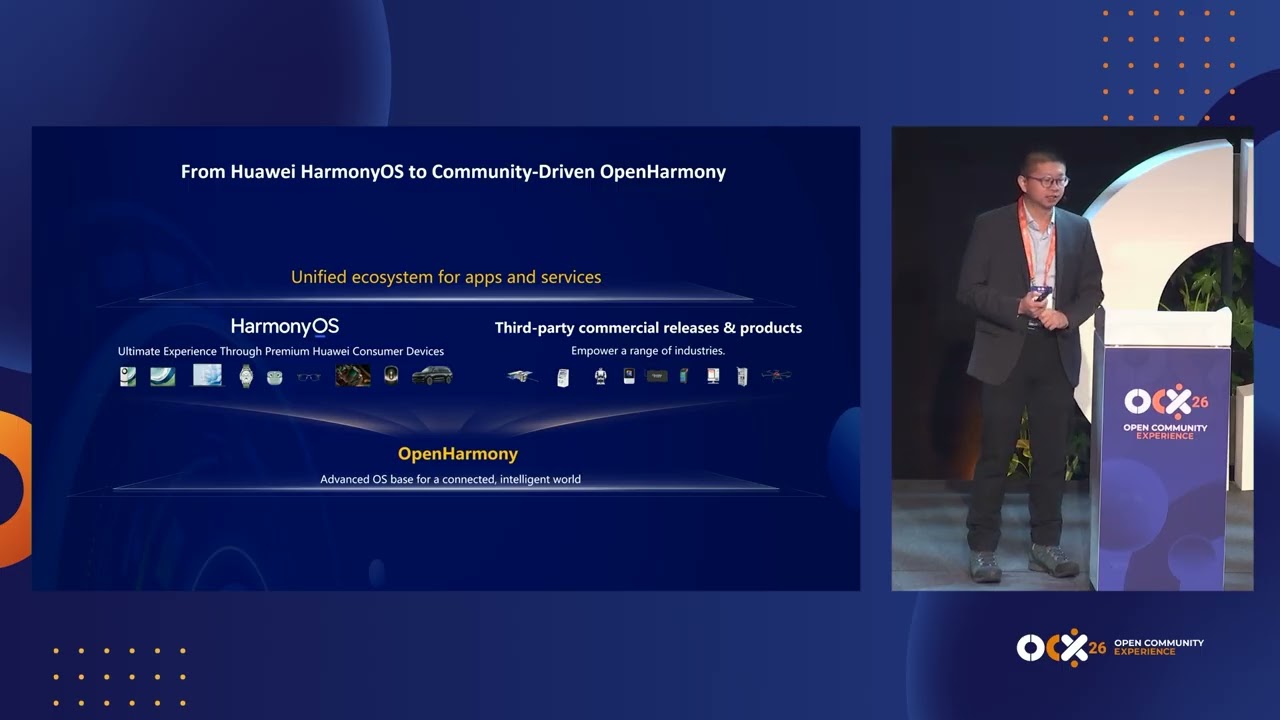
solution appears after you decouple the the the back end from the from the rendering engine and that's the real problem that SSD has the the business logic is very coupled to so so far sea talk about the problem and I'd like you to introduce a little bit of the solution that we designed which is called ST evolve and ST evolve uh it's a drop in replacement ment
for the ST library. We design it in a way that it's h compatible with the API of existing ST and the idea is that in a very easy way we can get h only one jar file swapped on your application. You don't need to modify any lines of code and you're able to run the application without change using a modern rendering for the UI. What does it
mean in replacement? Uh because it can mean many things but the definition of that is that we are implementing 100% of the API of ST. So it's a truly uh drop in replacement of the Jara. With that you get a modern look and feel uh a better uh UX because it's implemented with the richer modern toolkit which is uh flatter from Google. We use that uh internally
to render the widgets. uh and that has the capacity to uh render using the available GPU on the laptops. So it's fully hardware accelerator and with that we have the ability not just to run as a traditional desktop applications as the RCP ones that you are used to but we are able to deploy uh to the browser the same code base without any change. This is uh
open source of course. Uh it's uh hosted on GitHub. It follows the Eclipse public license version two. Uh everything is published there and uh you can take it running build it. We are publishing binaries there to make it early to test We also uh have a command line interface which is a way to prove the technology. Basically, you just run this CLI pointing to your application C
or application folder and it will get the latest release list, swap it in your application, and you're able to run the application uh without changing a single line of code or a single line of configuration or not even rebuilding your application. Even if this is a way of proof the technology probably in your as developers as engineers you want to make it part of the build and
that's also possible of course this is really a key part that uh not having to change your codebase to test the technology is uh one of uh it's not just uh marketing it's a reality that you don't need to migrate plans, you don't need to rebuild everything to be able to test it. The level of uh uh things that you can save on in terms of time
or effort just to test the technology is a really important stuff and uh not just let's say marketing language. also it's very important to mention that by using a modern uh library for the rendering you get things that you will expect on modern system like a high resolution uh screen support and multiple monitors and things that has been a problem in the original SWT. Of course, everything
works as expected here. And uh by using also flatter, we are also fixing the problem of having to maintain three different versions for each operating system. Is the same code base that runs exactly and produce the same rendering in Windows, Linux and Mac and also uh web as we will show in a moment. something maybe that we we should add here is that the capability of this
architecture is that you can plug in your theming the custom the customizable theme that you want to incorporate in this by let's say incorporating YAML files or the configuration files that you choose it's not that you need to touch the code to configure your own theming you can plug in your theming in the application itself it's very configurable So to briefly show you what this unlocks uh
from a deployment perspective is that your traditional Eclipse or Java application is talking to the uh SWTP without changes. Uh but by using our library instead of the original one uh allowing other deployment options that were not possible with the traditional less. You can deploy still as native desktop the traditional way. So it's a desktop application. It may have an installer. Uh you launch it, it opens
a window the traditional way as today, but with a modern UI and a better look and feel and a better experience. But uh now you can also run the same application uh into a browser uh Chrome, Firefox, Edge, any modern browser or even older ones because the same uh library we can compile it to the desktop but we can compile it to web assembly and also support
older JavaScript uh instead of web assembly JavaScript to support other versions. This allows to open the application in a URL in the browser and that's it. No installs anymore. Uh so it unlocks that option but also allows progressive web applications that you might know. So if you launch the application from a browser the first time you get an install button, the user click it and then that
becomes an icon in the taskbar or in the desktop. The next time you just uh open that icon on the operating system and it will launch the application as a native one. uh but it's rendering in a browser. So for the user is just another application and they can forget about uh having to type or bookmark the URL of that application. They just open with an icon.
And uh as a fourth option uh the cloud ready solution that we are working on you probably might know or are already using a wrap technology which is was a previous attempt to move applications to uh be uh runningable in a browser and in a cloud. Well, we are also targeting that deployment option with uh another library that will support the multi-user multi-session uh of the ST
display. So when the user enters to the application browser uh this HTTP bridge will make sure that a display gets created for that user and all the data and all the workbench data of an Eclipse RP h is specific to that user and not shared with others but with a single GBM. So it doesn't mean that you need to deploy the same huge application for every user
run it. you can just run a single GBM to support these multiple sessions uh expected in a cloud environment. So now uh we will do some uh live demos um basically showing an application that is already migrated. they come this huge uh testing application uh using RCP that they put a lot of uh effort to migrate to make it modernized but they were blocked by h the
current state of ST even if they spend years trying to make it look better they were stale at some point so they come to us to use our technology and migrate it entirely first for the desktop but then later for the web too. Well, I I'm going to show you the original desktop application that they have. Okay. See, yeah, as you can see, Uh, okay. It's not
this one, I think. Yes. Uh this is they have is an Eclipse based uh with a workbench that we that we all know. And now I'm going to show you the modernized application. Yes, here it is. We already modernized almost all of the widgets of ST. You can see that the main toolbar is already modernized, the tree view as well, the tables, uh the setup folders, everything,
uh canvas, GZ, but still we need to modernize the the composite views. I'm going to show you for example the settings preference page. Here you can see that the tree viewer is already modernized the checkboxes, the buttons, but still the composite needs to be converted to the new technology to flatter. Okay, >> one one interesting thing here is that they gave us access to the gut repository
of them of course full permissions to make changes and when they looked at the pull request there was just a single line of change on the target platform file pointing to our library and that was it. there was no code changes on the original Now uh I I will open just a proof of concept because it's something that we achieved this week uh and it's the web
deployment for this same application. Okay, as you can see is opening on a web browser. Uh the workbench is still kept all the toolbars and the views and we are we have some approaches to get rid of of the all Eclipse paradigms as well. For example, the view here, I mean the menu, the main menu there will be removed or can be removed via configuration files and
we have something like a button at the right where you can see the the the menu on the on a vertical side and we have for example popups the the old popups that eclipse has well those popups will be converted to in inner popups. So these kind of things can be very configurable and customizable by the users. It's not that we we are going to force the
user to do that. It's fully configurable and and custo customizable. Yeah. The same for dialogues for example. Uh you can run traditional dialogues in the Eclipse away that they pop up a separate window, but we can also run those dialogues within the same web page to be more integrated into the single tab experience and make it look more like a web experience of a traditional modern application
and not the very lot of popups open up whenever you click on the UI. Now I'm going to show you an RSP application. Uh I would say SWTbased application or RCP. By the way, the previous one you see different theming because theming is not applied to that version of the web page. So it's different from the previous one that ser show. Exactly. That's a basic theming. Okay.
Here I have let me see. if you can see this is an SWT application uh with so so many widgets already converted the tree view the data table canvas uh N table not table is already a work in progress but we are almost finishing it. Yeah, the draw 2d3 here. Okay, this is the SWT application running on the desktop and I will show you now. Okay, see
the same application but in the web. Still what would we notice that running the whole application in flatter like in this case it's is much faster than the desktop application that I just showed you. There are some flickering on the net table as you may see because we are like rendering the whole stuff when we send the the events right now. >> Yeah. Some technical details about
that is that we still need to work on the proper fighting of events with the specific regions that change to avoid that redraw that you see and that flickering. But one thing to mention here is that maybe you could think that this is actually being rendered on the server side and an image is being sent to the browser to be displayed. That's not the case. All the
renderings happen at the browser. So if you are familiar with the GC API for MWT which you can draw lines uh uh figures, fonts, color etc. uh those are sent as operations to the browser and the operation takes care the browser take care of the rendering completely. So the client side flatter implementation fully owns the rendering of the UI. There is no rendering at all on the
server side in Java. Everything is fully happening on the browser on the rendering side and GPU accelerated. Uh and so the performance that we can get with that is is very good. And this is a more complete example of the N table, the one that you can find also anywhere, but it's the the complete example for N table. And there going to show you Yeah. For example,
you can see here the this example which is the more basic And then here you can add several rows. I want to show you the the switch between the tabs to see how how fast it theming. You can apply themeing to the N table as well. This is dark theme. Increase the font hover. And I think that we have also the layer This is a very cool.
You can select any cell on different tables. So we tested most of the examples and are and they are working. We still need to fix some uh conditional ones that the one that incorporate checkboxes in the web examples but yeah we are we are almost finishing it as well. Net table is a very interesting case because it's not part of ST itself. It's a separate project that
use the ST APIs. H so that's a and it's a very complex uh widget by itself that is a good case for testing the how everything is working and that not just the provided widgets by the subt library work but also other third parties plugins that you will expect to work. can also work with this Yeah, I think that well N table and style text were one
of the hardest one for us. Uh we first we need to finish the canvas and GC and then we started over with this with this uh widgets. Okay. So yeah, this is the same applications that we saw recently. Okay. This another screenshot of the customer application that we are modernizing the application to. You can see that the the application is almost modernized completely. uh still here we
we took the hybrid approach where we modernized every widget. It's not like we started with a we modernizing the whole uh widget API and then try the application. No, this is possible thank you to the approach that we took which is hybrid and iteratively. So we started modernizing the button first and test the button and then incrementally we migrated other other Uh the last thing for this
is to migrate the composite and the shells which are almost are migrating but not here because that we already converted them for the web version otherwise we were not able to show you the demo that we showed but it's not working here in the desktop version yet. This is a preference page we already seen. H this is a old N table example the the traditional one. Yes,
>> this is a N table converted to our technology in the web as we saw and yeah we follow with the architecture. So to give you a little bit more detail about how this works and how is the solution designed. basically as I said before uh we have to respect the API uh of SAT to make your applications run without changes. So we have the full implementation
of the API that's the same. On the left side you can see the original SBT. So you have the API, you have all the widgets, button, text, etc. and the implementation uh of the original ST that use uh the widgets available on the operating system. So Win32 on Windows, Cocoa widgets on Mac and GTK uh on Linux. Uh so there are a specific implementations for the three
operating system and they use a resource and what is available on the operating system for that and on the right side our new implementation uh which keeps the same API. So you have the same widgets the complete set of widgets as you will expect but the implementation of each of those widget change internally use uh the flatter engine engine uh which is embedded in the same process.
So it's not a multipprocess architecture. The same GVM process runs the flatter uh rendering h and we do have implementations for each widget with uh that flatter framework. We are not to compare for example if you were in previous presentation of the initiative 31 or the GC implementation from Dennis. Um we are not custom drawing with GC every widget which was huge effort but we are using
widgets that flatter provides uh with all the behaviors that you will expect from buttons tables uh and threes trees etc. So uh let's say that the effort to implement the entire widget set is lower with this alternative that if you have to redraw every winet line by line. Um and well by using flatter uh we get this uh GPU hardware acceleration. At the lower level of flatter
uh there is Skia to draw the as a graphics library to actually draw the lines and pixel on the screen. But actually on the flatter project that is very optimized is very mature. they reached to a point that they couldn't optimize anymore ski they reached to the the level that they want to still keep improving the performance and the bottleneck was a ski itself. So they basically
replace with a new graphing library which is called impeller and they are able to even produce better frame frame rates that with the ski itself that's the default in Mac OS already and they were switching uh to be the default on Windows and later on Linux. So it's an level of optimization the rendering pipeline that is really incredible in the things that they can optimize and the
level of frames per rate that they can achieve. And there is a single implementation of the widgets that runs across all the platforms that we mentioned before desktop browser progressive applications also to the cloud and the three operating system and supported with just a single implementation. So that's actually the architectural simplification uh of our solution. It's a single code base for all these platforms and the level
of maintenance that is required for such a project is lesser than if you need to implement one different version for every single platform. Yeah. One important things considering this architecture is that we we wanted to to to make as much as for as possible to have like one abstraction on top of ski or any other rendering engine rendering layer. So flatter allowed us to do that in
in any case at the day tomorrow any new technology any new rendering layer appears we will we will be able to exchange flatter or this technology by others. So some of the challenge that we faced in this uh implementation is that some of here are mentioned here but also to mention that we didn't just took flatter as the first approach. We evaluate many different technologies and we
choose that because it was the one that was giving the best results in terms of easy to develop to uh in terms of performance in terms of looking at the future and the being a proven technology too. But some of the hardest technical challenge here uh to mention a few ones the STF app is not uh let's say easy or or simple it's consider is of a
considerable size and we imple implement uh all of them um for that we took uh some code generation steps to being able to ensure that the AP was complete and also that We need to support not just the latest version of ST but also many of the previous versions for potential customers and existing customers. So that was an important aspect for us. We don't just support the
latest one, we support all the range of ST versions. the other part that was challenging and took several iteration was the layouting and sizing problem of the widgets. Mapping between the ST layout and the flatter layouting was not trivial because they have a fully different way of working. uh that was a problem that we need to solve and at the current solution the layouting is happening at
the Java side with the existing uh S sw layouts that's what does the layouting but the sizing of each widgets uh if you look at the original ST for computing the size of each widget it needs to go back to the operating system with a a GNI call and get back the result of that size and then it's able to define the layouting and the final position
of each uh widget. In our implementation as we own the drawing of the widgets, we look we know ahead of time uh the sizing and this is just a mathematical formula that we can compute for every widget. So the layouting is incredibly faster in this solution because there is no going fact going back um from Java to flatter or anything like that. we can just compute everything
in Java and get the final sizing and position of the of the widgets and of course while the stat the state of the widgets that's a other as we need to keep the API compatible you are creating widgets setting some text setting some fonts backgrounds sizes etc that is the state of the widget but the rendering of the widget is happening uh on the flatter side of
the solution. So for that we need to keep some state and the state is no longer at the operating system as it was on the original SLT. So on SLT you call uh create a button and the most of the state of the button is within the button in the operating system. In this case we need to keep that state and we need to transfer that state
to flatter to rendering. And one approach that is key there is that uh we took a nonid direction data flow uh step like you may know from uh react for example from modern uh web frameworks where the data this case the state of the widgets travel in the sim direction from Java to flatter. Flatter owns all the rendering of the widget and there is no h shared
state that needs to be uh up to date. The only thing that travels the other way around are events. So when you click a button, when you expand a tree, when you do some keyboard interaction, those events are fired to Java and the standard ST listeners are fired handling the logic of the application. [snorts] Then you may update the state of the UI and then those modifications
travel back to flatter to be a renderer. But there is no shared motive state between both sides because there is no need for that. There is an any directional data flow and that gives a very good uh performance too. Um about the performance what we observe so far is by being hardware accelerated and the rendering pipeline being really uh the performance is uh much faster even if
you can think that we are depending on another layer of technology some kind of indirection between Java flatter and rendering actually that doesn't introduce any penalty on the contrary uh we are getting a super fast Besides as what I mentioned before the layouting is much faster which is not a minimal thing because for example when you open Eclipse IDE there are hundreds of layouts happening just to
open it uh that in the past require uh traveling to the operating system many times for each widget and that's actually not happening anymore everything is just a a algorithmical function that gets compute for for the sizing I know that rendering is happening on the h on the client side on flatter. So there is no travel of images or any rendering happening on the server side as
as I mentioned before. Okay. Yes. uh one feature, one functionality I'm very proud of this project is that it doesn't for the user to choose one way, I mean many ways at the same time. What usually happens when you choose this project is that you start swapping your original SOLD char file for hours and then you you get something as as the demo that you saw the
application instantly modernized. But then you can start selectively enhancing your your application. For example, you want to migrate some views to to some web- based uh UI view, you can do that with with web- based technologies like React, WebGs, uh whatever you want. And and something important also is that with flatter we will be able to provide the community with more wheelch to to contribute to this
kind of uh improvements that can be done to to this technology. Um this is very important because sometimes people think okay I'm going to work to modernize my Eclipse CP application but when I modernize it it looks more or less the same. The thing is that you can change that workbench of your Eclipse RCP application the way you want. So you can get rid of parts, incorporate
new web-based UIs and the the customization that you want. Then the hybrid mode is the one that we used and we are still using for testing our technology and is the one that users may use to uh test their application as well when something goes wrong with with our project because it's still uh under development it's more ready but there are some issues and with the hybrid
mode allows you to mix the original SWT library with ours the original Sol Widgets with with our widgets and well with a web deployment is is a deployment that we already talk about but it doesn't force you to to choose one deployment option. You you can choose the the deployment that you want. Well, uh as as we mentioned, it's under the EPLP uh license. Uh we uh
we invite you all to contribute to this project. It's very easy to to follow the code. All the structure is very separated, well separated. You have the Java side. Every wheelchair follows more or less the the same pattern. Uh Java side, the bridge, and then the flatter side. So it's pretty easy to to contribute to the project and one way and for me it's the best way
that the community can contribute to to this project is to test the application your application with a CLI. This is a the easiest path to to modernize your application and to uh provide feedback to us and and there you will see the errors that you you will get because uh the the tool will will give you a report and and also as as I mentioned you can
also contribute uh by by filing issues also on GitHub or influencing the road map if you want new features for your application. For example, the N table was a feature that that that was very requested by some of our potential customers and we we put a lot of effort on that as So I think that one question that everybody should question I mean uh before rewriting or
before moving to another technology is why your business logic is so coupled to to the rendering engine. That's something that we got from from getting with SWT because that's the only option that that we had and we didn't think about how coupled is a Java code with the rendering engine. Any tool that uses SWT knows that. But we didn't think about how how can we separate that
that layer from the business logic. And in any architecture good decision, any talk that we have about architecture, we always think about separating those concerns. In this case, ST World enforces this by default. >> [snorts] >> some key uh takeaways from this uh presentation. Well, the the drop in replacements is achievable at enterprise scale. This means that it can be tested on your real application. You can
modernize it with with our project and you can eventually move it to the web or to the cloud. Um something important that we also mention is that the spectrum of the modernization start incrementally and and in this case people usually think and they get stuck on this is okay I will leave the application as it is or I need to go all or nothing like I need
to go all in with a with a new framework and for us the the real path is incremental in the sense that you can incrementally modernize some parts of of your application and then you can you can go to other deployments like like cloud for for example. Um something very important to to keep in mind is that the Java back end is is not a li liability
is the real asset is where your knowledge of your company relies is a business logic of of years of development and that's very important to consider before migrating to a new language or technology. Uh yes is open source so it's very important for us and we will be very grateful if you can test it and provide feedback to us. So thank you and we are open to
questions if you have [applause] Yes, thank you for this interesting talk. Um, you said that it's also possible to support multi-users. And if you do that, are there as many Eclipse instances running on the server as there are users? because each of them is in a known workspace. >> Yeah. What what we are doing is we are separating the solutions. We have the what we call the
browser ready which is running a browser but it's still single user. Um but we are working on a cloud ready solution that with a single GBM you can support multiple users and the technology makes sure similar to what previous attempts on rap did is that when there is a user request an HTTP request from the user uh the library takes care of creating a a specific SWT
display for that user which is H attached to a UI session that is specific for that user not just for the display but also for the entire eclipse war concept. So there is a warben gets created for that specific user and uh the next time that if the user opens a new tab on the same machine or login or whatever that uh same workbench will be uh
delivered to that specific user. If there is a separate user entering, there will be a new display, a new workbench created for that new user, but all under a single GBM on the server. So you don't need to create a new running a new deployment that is uh specific to each user. This under the same GVM. So you can save a lot of resources with that. That
doesn't mean you don't need to span a new application for each user. just you are using the same application instance and just separating the display or the workbench if you are in an RCP that's still work in progress it's not ready to try yet and it's a separate jar also it's not part of the ST jar that we mentioned here it will be a separate uh jar
that work together with the ST evolve one >> okay thanks I I think you mentioned that you found that the style text is one of the more challenging areas. What is the status of styled text? >> What is what? Sorry. >> What is the status of styled text? >> Oh, style text is working. It has still a few bugs uh that are actually not happen on the
style text itself. that for example in the ruler that shows the next to the style text there are some synchronization issues there that we need to fix but style text is working h all the widgets are working there could be still some very specific minor issues on each of them but the implementation is complete for that just to mention is uh we took a different approach some
parts of style text use GC but As we own the rendering, we took the decision to not use GC for the implementation of style text. We are using widgets from flatter itself uh to create that. That gives uh what happen is that actually moves most of the implementation to the rendering side without depending on the firing events that need to be recalculated in Java. Everything is happening
on the rendering side of flatter for the implementation of style text. And a little bit related to that is the text layout implementation which is uh still work that needs to be done to complete that that is not fully implemented. But we are actually not using the style text Java component. Sorry, the text layout Java component for the implementation of the style text as style text has
its own API and text layout is used internally for that. We remove that from the implementation to be able to render completely on the flatter side and to make sure that the that flatter owns the rendering of the text layout. All the events that you will expect are still being fired to Java. So if you have business logic depending on the addition of events like normal Java
editors or any of the editors of Eclipse [snorts] are attaching listeners those are fine and work as expected of course >> so that that includes things like code mining is working in the alter in the differing line heights and stuff like >> yeah it should be working yeah >> and so you talked about all the visible stuff there's a bunch of SWT which is invisible like no
UEI like clipboards printing things like that what's is that what's the state of those >> those are still working Because as we have this hybrid mode that you can have uh the new flatter implementations of each component but you can also have the original SD ones if you like. Some of them like printing for example is still going to the old path uh to use the standard
ST and those need to be implemented to support more richer features for example printing that are available uh on a browser or just by using flatter. H we need to still explore those let's say areas that are not widgets but important implementations that the user will expect. So they work but there is still things and work that we can do to improve it even better. Yeah. >>
And just because I've become the clipboard maintainer in SWT recently. Is the clipboard working or is you are you using the hybrid approach for the clipboard? >> The clipboard. >> It's working on flat side. So as in there's a full implementation of clipboard. Java and great depends also on the target deployment for if you're running in the browser there are a few restrictions by running on the
browser regarding clipboard and and copying and passing stuff but >> so far I'm more interested in the native like on the PC side rather than the web browser side. >> Thank you. >> Sorry. Uh thank you for for the effort that you put into this. Um I have two questions. One is uh where do you see the limitations? Um I can imagine stuff like uh on Mac
OS I can drag a file into a text box and I would get the path in that text box. that's probably OS native because it doesn't have more on Windows sometimes. Um what what can flutter not do what the OS can do? And um second question which is more interesting to me what is the business case if it if it is supposed to be a drop in
replacement what is what is the the added value that you see on top of this >> for you? Yeah, the first question. Um, I don't think we have really seen limitations. I mean there we may lose some stuff like you mentioned dragging dropping with native components that is already done on operating system. That means that we need to do a little bit of work on our side
to support the same scenarios. But there are no restriction of things that we cannot do. So we can still call the native uh the native APIs if we need uh some I don't know for example to access the keychain of Mac OS or uh access to a specific APIs or features operating system we can still do it. Um so there things that we could lose by using
this approach. Um but it requires a little bit of work to support them and regarding the business scenario is that uh yeah I can take on that. Well first thing obviously we have a business around this and the good thing is that I think that we can we can do both support the community of Eclipse like improving the Eclipse IDE and the and many other platforms that
are based on Eclipse. But regarding the business side, we will be doing it open source with let's say certain features. We will only support the latest version of SWT in the open source version. The other ones, the previous one will be enterprise. For example, the corporate theming feature will be enterprise as well. The the open source version will come with two themes, light and dark. And then
for the enterprises we will be providing a custom theming as a entropy feature and we are thinking also of of the web deployment option to be enterprise as well the cloud ready options of course these kind of things but also let me add to the to the added value part of the question is that yes it is a drop replacement so you get the application working without
changes but you immediately get a better h UX in sub details. For example, h the feedback of the widgets when you over with the mouse. There are effects that get applied automatically like pulse effect on the button. Uh small things like expanding a tree has some feedback for the end user like animations when you click stuff when you move stuff. there is all this user interactivity feedback
that users expect for modern technologies that are not in the original SOT and they are working by default with our replace so it's not just okay it works with a new technology but it looks better it behaves better the performance is better and it's also a path for the future because we are not stopping there so you can deploy to the web okay but then we are
also working in new APIs beyond the standard SWT APIs to create richer experience in your application. So you can once you do the migration you can start thinking okay I can integrate web technologies into this application. I want parts to be using web technologies but I can also stay in Java and create richer uh user experience with a similar API but not restricted by the ST API.
So we will provide a separate library with richer widgets under the same architecture under the same rendering pipeline to create other new widgets. Yeah. [snorts] And also this is something that we are very passionate about is to we we know that the Eclipse ID has been losing users in the last years and maybe many of those users are going to Intelligj for example and we really think
that with this kind of technology we can get more tractions to the Eclipse ID as well for the community. uh also something that I think that we already mentioned but when you see the complete application modernized is much faster when you switch the tabs for example than the original one. Uh we saw that in the in the web version of the of the So um thank you
for the presentation really good. Um I have two questions. In which version are you guys based at the moment? >> We right now we're about to merge 133 >> the latest. >> So the latest sorry which SWT version are you based upon like like >> yeah is the we are about to merge the latest release of Eclipse on the release train. Yes, in the exactly the the
current publish is minus one and we are about to merge the the latest one. >> Okay, >> that's with gets published on the opensource repository. We do have support for several other versions that are required by customers prospect that are evaluating the technology. So we're able to release any single version from the past but the the public publish is >> Yeah. And we think that that's really
needs to be enterprise because we need to support all SLT versions with all Java versions. Many of them are in Java 8 for example. >> No, I'm asking because since you mentioned that this opens the door for new functionality and that kind of stuff. The first thing I think is like okay if you jump on the release train there's one thing there's maintaining the compatibility and there's
more adding more stuff but if you're just let's say just on the release train I don't think you need to you're forbidden to add new stuff I don't know that any case and one other thing since you guys are working on that I would kindly ask you if you see bugs like what the one you mentioned that uh screenshot on high resolution please report them because high
resolution was a key topic for us last year and it got released June well actually got released on March 25 and on Windows is already working and it got activated by default on June 20 25. So if you see bugs please report it because we work on them >> of course. Yes. Yes. >> I think someone there want the microphone. >> Sorry I think it will be
last question because it's slowly time for lunch. >> Yeah. Hey, by the way, we are in the booth. So any question after that, you can reach us there. [sighs] >> So my question is quite practic practical. So you said there's a one jar replacement. So what it is? What is it? Is it a fat jar containing everything you need to do this integration? H the chart that
gets replaced is the subt1 actually is the the fragment of the operating system. So you have an SET for Linux, for Cocoa, for Windows that is the one that gets replaced and inside that H well it has the Java files implementing this library and some H shadow libraries that are loaded from Java that take cares of the uh the flatter side of the rendering. It's a 10
megabytes JAR file. let's say something like that only uh for that specific uh platform. So right now we are releasing one jar per operating system just to match what ST does originally but probably we can have a newer jar with everything because it's is the same code base. So it really doesn't matter. It's just to make the clips CP compatible with our solution. We are releasing one
per operating system. So this print replacement works but that may change in the future and it could be possible just a single jar that you put it on any of the platform and and that works. There is a metadata issue that Eclipse expects those fragments to be there with a specific time stamp etc. So to match that metadata we are releasing as three separate jars for also
for the web um but it's just to match the metadata of >> [music]